Memorials – Responsive Funeral WordPress Theme
Themeforest Memorials – Responsive Funeral WordPress Theme WordPress Theme
3 necessary custom post type available for you. This custom post types works with simple Shortcode.





Memorials WordPress Theme comes with Modern Technology with Smooth Design. Fully Responsive Design compatible with Desktop, Laptop, Mobile, Tablet or iPad Devices. Scratch your Design by hand and give exact look like your scratch of your Web Pages.
13.01.2017—Version 2.3.0
+ Update: WordPress Version 4.7 Compatibility
+ Added: Demo Content Importer Options
+ Updated: Revolution Slider and Visual Composer
+ Updated: Shortcode Post Type Plugin Updated
+ Added: Top Bar Show/Hide Option Added
+ Added: Location Widget Title change Option
+ Fixed: CSS Bugs Fixed
+ Update: Technical Issues Checked
3 necessary custom post type available for you. This custom post types works with simple Shortcode.
- WordPress 4.7+ Compatible
- Visual Composer Drop & Drag page builder (Save 34$)
- Slider Revolution (Save 19$)
- One Click Demo Importer
- Powerful Theme Options
- Advanced Elements for Visual Composer
- Fully Responsive
- Contact Form Support
- PrettyPhoto Gallery
- 600+ Google Web Fonts
- Retina Icons (Font Awesome 4.3)
- Bootstrap Framework 3.3.4
- Post format Supports( Standard, Aside, Video, Audio, Gallery, Images, Chat, Status, Link etc)
- Demo Data XML file included, Revolution Slider Demo Content attached
- Unlimited Color
- Well Documented – Setup Memorials Theme Video Tutorials
- Live Twitter Feed
- 3 Custom Post Type ( Plan Ahead, Locations, Testimonial )
- Working Mailchimp Subscribe Form
- WordPress Widget Ready
- Built in Widget ( Latest Blog, Following Faith, Testimonial Slider)
- Shortcodes( Featured Box, Mission, Section Title, Services, Home Blog, Plan Ahead, Gallery Images, Testimonial, Locations, Contact Info etc)
- Video Tutorials
- Many More is coming….
13.04.2016—Version 2.2.1
Update: Visual Composer Updated Version
Update: Revolution Slider Updated Version
Fixed: Fixed Logo Stretched on Internet Explorer
Fixed: Service Icon Color bug fixed
Fixed: Few CSS Fixes also
25.01.2016—Version 2.2.0
Added: Default 10 Color Presets added and Custom Color Picker Added for theme Customizations
Fixed: CSS Issues
6.01.2016—Version 2.1.0
Fixed: Header CSS Problem
Fixed: CSS positioning issues
Fixed: Pricing Table Button Text and Link Problem
15.12.2015—Version 2.0.0
Fixed: Memorials Post Types Plugin function problem fixed.
05.12.2015—Version 1.0.0
== Initial Release ==
Connect With Us


Note: All the Images used on our Demo does not included with Template Package, you’ll not get those Images. Those are only for Demo Purposes.
Subsribe to our Newsletter
More Products
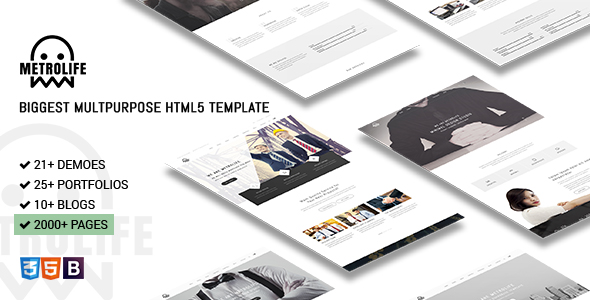
Metrolife – Responsive Multipurpose HTML5 Template
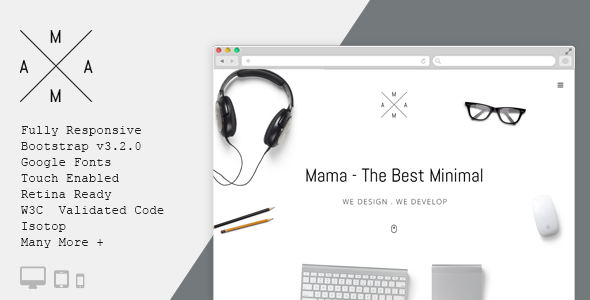
MAMA – Creative Minimal Portfolio WordPress Theme
TopClass – Multipurpose Business & Corporate Theme
Metrolife – Responsive Multipurpose HTML5 Template
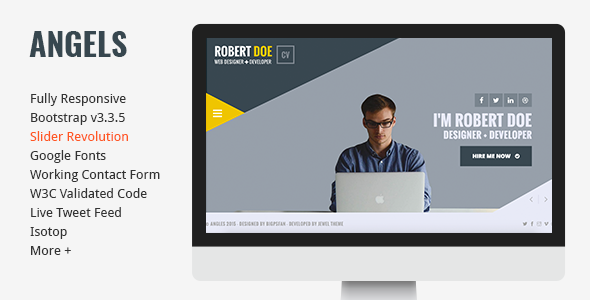
Angels – Clean & Creative vCard Portfolio Template


Hey, first thanks nice Theme…
ReplyDeleteBut The Activate Code for the Revolution Slider Does Not Work… any Idea? And sure i did not used it elsewhere or did a mistake while Copy and Paste the code.
Hello CrisDahm,
ReplyDeleteThanks for your query. Let me clear you…
Theme Purchase code isn’t Revolution Slider Activation Code. If you Purchase Revolution Slider then they will give you the Purchase Code. This will be Activation Code for Revolution Slider.
Note: You don’t have to Purchase Revolution Slider for use it. We always give updated Version, which will be Downloaded from our Server with our Theme. Because we’ve purchased Extended License(for Commercial use for Clients). While you’ll get Update Notification from our Theme, just Update the Theme. If any update of Revolution Slider and other Plugins, you’ll see an Update Notification. Just click and it will be automatically update.
Thanks
Hey Thanks for your quick answer. Ok the update part sounds good, but i can’t use all the Slider Templates “tiny Designs” from Revolution Slider. There is a hughe Database inside of The Slider Tool (Often Free Designs) and this service is only with Activation any idea?
ReplyDeleteYes, this feature is only for the Activation Otherwise if you can do anything with the Existing Slide we’ve given or Free Sliders from Templates of Revolution Slider.
ReplyDeleteI purchased the theme and downloaded it only on one website. It’s bigger than 20 MB so my host says I need to upload it through FTP before installing on Wordpress. Did the same as told. However, the plugins are still to be installed manually due to which there is no way to activate them. I am talking about Visual Composer and Slider REvolution. Can you guide me how to deal with this issue? The host does not let me upload a 20 MB or greater theme via Wordpress.
ReplyDeleteYou did the whole thing wrong. The Theme isn’t 20MB, whole Package is 22MB. Please UNZIP first the Downloaded Package. It consists with Demo Contents, Documentation, Unzip Theme Files etc…
ReplyDeleteOnly WordPress Theme is 3.6MB !!! It shouldn’t be a problem to upload on WordPress. We’ve given Plugin install Message, Just click and Plugins will be Installed and Activated.
Your Support is Extended, If you face any problems Please Renew your Support and create a Topics on our Support Forum: https://jeweltheme.com/support/forum/wordpress-themes/memorials/
Thanks
I want to know that an update to Memorials has been issued. My present version is I think so 1.0.0 that runs on my website. How can I update it to the latest version? Are there any associated charges that I have to pay for this upgradation? Also that I do not want to do this but some functions of slider revolution and css are not working properly due to which I am thinking about this upgrade.
ReplyDeleteAnyway, I have found that I did not verify the ownership of my purchased theme. Now, when I am trying to verify it, I generate API key and put it into Purchase Code Deactivation but later I find that my Verification failed, wrong API / API not connected to the Purchase Code. Please guide me on this particular issue. I think that the rest of issues will resolve on their own. I did not activate my theme copy for so long.
ReplyDeleteThanks for your query. Please make a search name “Envato Toolkit” Plugin and install it. You will be asked for Envato username and password. Memorials current version is 2.2.1. Your slider will not be lost.
ReplyDeleteThanks
I think you don’t need to deactivate the Activation Key. Alo first of all you have to Activate the Theme to work properly.
ReplyDeletehi, great theme! BUT i can find where and how to change the Header… pls assist
ReplyDeletetnx!
Hello beladigital,
ReplyDeletePlease create a Support Ticket on our Suppor Forum. We will help you.
https://jeweltheme.com/support/forum/wordpress-themes/memorials/
Thanks
I have purchased and installed your theme via FTP. This is what I get http://kivotos.undercon.eu/. What is wrong?
ReplyDeleteHello dellato,
ReplyDeleteThanks for purchasing Memorials. I think you’ve Folder and File Permission on your Hosting.
If you face problems then feel free to post Support Topics on our Forum: https://jeweltheme.com/support/forum/wordpress-themes/memorials/
Thanks