Webly - WordPress Blog Theme


Check our Best selling Blog Theme
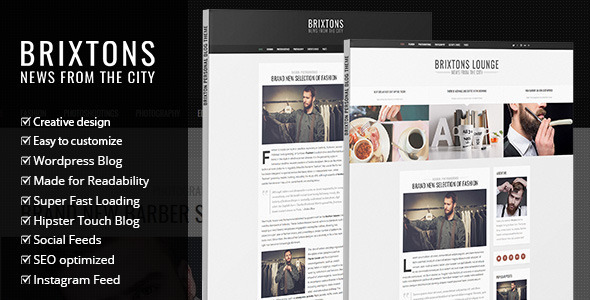


Webly Responsive WordPress Blog Theme. Discover the power of Webly blog theme.
Webly Wordpress Blog Theme Description
Webly is a Wordpress Blog Theme in clean and bold Design. It’s perfect for any personal blog. It follows the trendy design with a combination of pure elegance. With Webly you get right to the point, presenting your content in a clean and minimal way.
4 HOME PAGE AND BLOG LAYOUTS
Webly comes with both sidebar layout and full width layout. Both of them can have featured posts or about us blocks under the menu. This means you have 4 available layouts from which you can choose. You can preview 3 different layouts in our live demo (you can have more combinations since you can combine any of the blocks with full width version and sidebar version).
MANY DIFFERENT HOME PAGE VARIATIONS
Different layouts of home page presented on our live demos are just a few examples. You can have any combination of the blocks, or turn all blocks off in theme’s options and only have menu and the blog. The blocks that you can use on the home page are:
- Featured posts (recent news with background image in the demo)
- Upper Header (place for info text, social icons and search field)
- About us Block (full width about us block just above the blog)
- Instagram Feed
RESPONSIVE & RETINA READY
Webly is fully responsive and retina ready. It will look amazing on any mobile device.
Webly BLOG THEME CORE FEATURES
Below is a quick visual presentation of some of the main features of Webly Wordpress Blog Theme.
Webly Wordpress Theme Features
- Fast loading
- Google Web Fonts
- 4 HOME PAGE AND BLOG LAYOUTS
- SEO optimized
- Made for readability
- Creative Design
- Video, Gallery, Audio, Standard and Link Posts Templates
- Clean and Crisp Design
- CSS3 Features and Animations
- Detailed written help file
- Use your custom logo and favicon icon.
5 Post Templates (Standard, video, link, gallery, audio)
UNLIMITED COLORS
Main color is set in theme’s options with convenient color picker so you have unlimited choice when it comes to colors. Simply set the color you want and save the settings.
SUPPORT
For support please contact us via support tab. Thank you.
CREDITS
Along the project, we have been using the following assets.
- Dreamypixel images – http://dreamypixel.com/
- CM Images – https://creativemarket.com/dreamypixel
- Jquery – http://jquery.com/
- jQuery FitVids – http://fitvidsjs.com/
Check our other Wordpress Themes
Opus – Multipurpose Business Wordpress Theme
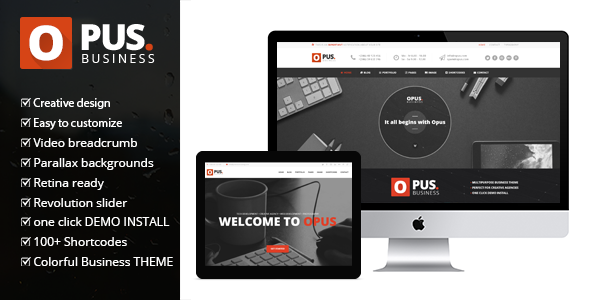
EcoRecycling – a Multipurpose Wordpress Theme
Munditia – Responsive Ecommerce Wordpress Theme

Munmarket – A One and Multi Page Ecommerce Theme

Mundus – One Page Responsive WordPress Theme

Gothicus – Responsive Ecommerce WordPress Theme


Hi,
ReplyDeleteThe theme is nice, but documentation is missing.
First question (some will come later) :
How can i change the background color of the upper block ?
Thanks for your reply,
Hi,
ReplyDeletedocumentation is included in the files for download. But for changing this you need some custom css. Please write via support tab and we will help you out. Thanks.
Kind regards
Hi
ReplyDeleteDo you have demo data xml ?
Hi,
ReplyDeleteyes demo is included. Thanks.
Kind regards
i want to disable scroll header, how is that possible? Help me by providing custom css if possible
ReplyDeleteHi,
ReplyDeletethe easiest way to remove it is with this css:
.pagenav.fixedmenu{display:none !important;}
Kind regards
hi, i want to have header menu inplace of social share ,search section. can you please help me. currently website have following design in headers
ReplyDelete1. In left-Header logo&Header Menu
2.In right- Social Menu & search function
But i want to make like this:
1. In left- Logo Only
2. In right- Header Menu & Search Function
Hi,
ReplyDeleteplease write via support tab so I can forward your request to our support staff. Thank you.
Kind regards
A really nice theme. I am almost willing to buy it, but:
ReplyDeleteThere is a small css bug in the odd/even-grid version on mobile devices (android in my case):
When a video post ist followed by a normal post, the video overlaps the following post image.
Screenshot:
https://s18.postimg.org/ppo8dviyh/Screenshot_2016_12_10_14_21_55.png
If you fix it, you have a new customer
Hi,
ReplyDeletethanks, we will check the issue this week and release an update for it. Thanks.
Kind regards
So, no updates yet?
ReplyDeleteHi,
ReplyDeleteI apologize for the delay, I was preoccupied with other Themes but will take a look at that tomorrow and release an update asap. Thank you for your patience.
Kind regards
Hi,
ReplyDeleteyou can check the video post it on:
http://webly.premiumcoding.com/grid-2/
or:
ReplyDeletehttp://webly.premiumcoding.com/grid/
For signle.php, there is no responsive layout for title and post content. How to fix it?
ReplyDeleteHi,
ReplyDeletewhich version do you have? We fixed that a while back in an update. Please write via support tab and provide url to your website so I can check it out. Thanks.
how do i make the header a little bigger to support a bigger logo?
ReplyDeleteAlso, I have chosen the grid style for my blog and am using the dimensions given for the images. However, they are not showing up even on my blogs home page. How can I fix this? www.brandoncannon.com
ReplyDeleteHi,
ReplyDeleteplease write via support tab so I can assign support staff and he will help you out. Thanks.
Kind regards
just did
ReplyDeleteOk, support will be provided in the ticket. Thanks.
ReplyDeleteKind regards
Hi,
ReplyDeleteI will buy the theme soon. But this will be my first WordPress study. So I do not have much knowledge about WordPress. Can you help me with setup and editing ?
Hi,
ReplyDeletewe can help you install the theme and demo content and you can work from there.
Kind regards
woke up this morning to check my blog and found it said there was a “fatal error” and does not show my widgets on the sidebar. It did yesterday but not today? Any idea what I need to do to fix it?
ReplyDeleteHi,
ReplyDeleteplease write via support tab and provide url and wp logins. Thanks.
Kind regards
Hi,
ReplyDeleteThis theme does support slideshow?
Hi,
ReplyDeleteIt’s not included by default, but you can easily add let’s say Revolution slider and just add the shortcode of the slider.
Kind regards,
Ales
Hi,
ReplyDeleteThis theme supports woocommerce?
Hi,
ReplyDeleteyes, but only default style of WooCommerce plugin.
Kind regards
Hi, When are you guys planning to rectify the resposive design issues. I found the following problems with the theme
ReplyDelete1. If the title exceeds four words, the whole grid gets collapased.
2. In Single post, if you use a big word like, “resposive/webdesign” , the responsiveness get distorted and only half page is visible in mobile.
Hi,
ReplyDeleteI will take a look at that tomorrow and we will release an update asap. Thanks.
Kind regards
Hi,
ReplyDelete2. this was fixed, you can check it here:
http://webly.premiumcoding.com/grid/choose-your-branding/
1. as for this one I can’t reproduce it, do you have an example on your blog?
Kind regards
Great Theme!!
ReplyDeleteWhere can I get the changelog?
Hi,
ReplyDeleteyou can check it :
https://premiumcoding.zendesk.com/hc/en-us/search?utf8=%E2%9C%93&query=webly&commit=Search
Best regards.
Hi, how do i delete unnecessary social media icons that are under each blog post? I just want to keep Facebook there.
ReplyDeleteHi,
ReplyDeletefor support please write via support tab. Thank you.
Kind regards
It’s been more than 48 hours since I’ve submitted my request #85852. When can I expect response?
ReplyDeleteHi,
ReplyDeleteI see our support answered today to the ticket.
Kind regards
Not all my questions were answered. I’ve also asked how to delete unnecessary social media buttons and how to change the color of hyperlinks. Those questions are still unanswered.
ReplyDeleteHi,
ReplyDeleteI answered the other two. Thanks.
Kind regards